PS5 SSD compatibility in August 2026: the best compatible M.2 drives, which need a heatsink, and Sony's height and speed rules
Which PS5 compatible SSD to buy comes down to Sony's requirements applied to real drives: interface, speed, DRAM, heatsink and height, with a verdict for each. The best PS5 SSD for most people is a boring PCIe 4.0 drive, and the table shows why. Type a model below or read it top to bottom.
What the PS5 requires from an M.2 SSD
Embed this chart
Compatible PS5 SSDs: every drive with speed, DRAM, heatsink and height
| Drive | Interface | Read MB/s | DRAM | Heatsink | Height (mm) | Capacities | Verdict |
|---|---|---|---|---|---|---|---|
| WD_BLACK (Sandisk) SN8100 | PCIe 5.0 x4 | 14,900 | Yes | optional | — | 1 TB, 2 TB, 4 TB, 8 TB | No PS5 statement from the makerPCIe 5.0 drive: Sony's requirements page names only Gen4x4 and Sandisk makes no PS5 statement for the SN8100 - unverified; it would run at Gen4 speed with no benefit. |
| WD_BLACK (Sandisk) SN8100 with Heatsink | PCIe 5.0 x4 | 14,900 | Yes | included | 9.76 | 1 TB, 2 TB, 4 TB, 8 TB | No PS5 statement from the makerPCIe 5.0 drive with no PS5 statement from Sandisk; the heatsink physically fits (9.76 mm, 8 TB 11.25 mm) but compatibility is unverified and there is no speed benefit over Gen4. |
| Samsung 9100 PRO | PCIe 5.0 x4 | 14,800 | Yes | optional | — | 1 TB, 2 TB, 4 TB, 8 TB | Compatible with a heatsinkPCIe 5.0 drive: Sony's page only names Gen4x4, but Samsung's datasheet lists PlayStation 5 as a usage application; it runs at Gen4 speed in the PS5 with no benefit over a Gen4 drive, and needs a heatsink. |
| Samsung 9100 PRO with Heatsink | PCIe 5.0 x4 | 14,800 | Yes | included | 8.88 | 1 TB, 2 TB, 4 TB, 8 TB | CompatiblePCIe 5.0 drive that Samsung states is PS5-compatible; 1-4 TB models are 8.88 mm thick, the 8 TB model is exactly Sony's 11.25 mm limit. No speed benefit over Gen4 in a PS5. |
| Kingston FURY Renegade G5 | PCIe 5.0 x4 | 14,800 | Yes | none | — | 1 TB, 2 TB, 4 TB, 8 TB | No PS5 statement from the makerPCIe 5.0 drive: Sony's page names only Gen4x4 and Kingston makes no PS5 statement - unverified; no speed benefit over Gen4 in a PS5. |
| Crucial T705 | PCIe 5.0 x4 | 14,500 | No | optional | — | 1 TB, 2 TB, 4 TB | No PS5 statement from the makerPCIe 5.0 drive: Sony's page names only Gen4x4 and Crucial makes no PS5 statement - unverified; it would run at Gen4 speed with no benefit over a Gen4 drive. |
| Crucial T705 with Heatsink | PCIe 5.0 x4 | 14,500 | No | included | 21.1 | 1 TB, 2 TB, 4 TB | Not recommendedHeatsink version is about 21.1 mm thick (Crucial: 0.83 in), far over Sony's 11.25 mm limit - does not physically fit; also a PCIe 5.0 drive with no PS5 statement. |
| Sabrent Rocket 5 | PCIe 5.0 x4 | 14,000 | Yes | optional | — | 1 TB, 2 TB, 4 TB, 8 TB | No PS5 statement from the makerPCIe 5.0 drive: Sony's page names only Gen4x4 and Sabrent makes no PS5 statement - unverified; no speed benefit over Gen4 in a PS5. |
| Corsair MP700 PRO | PCIe 5.0 x4 | 12,400 | Yes | optional | — | 1 TB, 2 TB, 4 TB | No PS5 statement from the makerPCIe 5.0 drive: Sony's page names only Gen4x4 and Corsair makes no PS5 statement on any MP700 page - unverified; no speed benefit over Gen4 in a PS5. |
| PNY XLR8 CS3150 | PCIe 5.0 x4 | 12,000 | No | included | 17.5 | 1 TB, 2 TB | Not recommendedHeatsink is 17.5 mm tall (PNY sheet), over Sony's 11.25 mm limit; also a PCIe 5.0 drive with no PS5 statement and no bare SKU. |
| Nextorage G Series NE5N | PCIe 5.0 x4 | 10,000 | Yes | optional | — | 1 TB, 2 TB | No PS5 statement from the makerPCIe 5.0 drive with no PS5 statement from Nextorage; the heatsink SKU is about 39.4 mm tall and cannot fit, the bare SKU is unverified - no speed benefit over Gen4 in a PS5. |
| PNY XLR8 CS3140 | PCIe 4.0 x4 | 7,500 | Yes | optional | — | 1 TB, 2 TB, 4 TB | Compatible with a heatsink7,500 MB/s PCIe 4.0 x4 with DRAM meets Sony's spec; PNY makes no PS5 claim on the sell sheet; bare drive needs a heatsink. |
| PNY XLR8 CS3140 with Heatsink | PCIe 4.0 x4 | 7,500 | Yes | included | — | 1 TB, 2 TB, 4 TB | No PS5 statement from the makerMeets Sony's speed spec, but PNY publishes no dimensions for the integrated heatsink and no PS5 claim - the 11.25 mm limit cannot be confirmed. |
| Lexar Professional NM800 PRO | PCIe 4.0 x4 | 7,500 | No | optional | — | 500 GB, 1 TB, 2 TB | Compatible with a heatsinkLexar markets it for PS5 storage upgrades; 7,450-7,500 MB/s; bare drive, needs a heatsink. |
| Lexar Professional NM800 PRO with Heatsink | PCIe 4.0 x4 | 7,500 | No | included | 10 | 500 GB, 1 TB, 2 TB | CompatibleLexar states 'Compatible with PS5'; 80 x 22 x 10 mm fits Sony's envelope. |
| Samsung 990 PRO | PCIe 4.0 x4 | 7,450 | Yes | optional | — | 1 TB, 2 TB, 4 TB | Compatible with a heatsinkSamsung lists PlayStation 5 as a usage application; 7,450 MB/s clears Sony's 5,500 MB/s bar, but the bare drive needs a heatsink under 11.25 mm total. |
| Samsung 990 PRO with Heatsink | PCIe 4.0 x4 | 7,450 | Yes | included | 8.88 | 1 TB, 2 TB, 4 TB | CompatibleSamsung states PS5 compatibility; 8.88 mm max thickness and 25 mm width sit inside Sony's 11.25 mm / 25 mm envelope. |
| Seagate FireCuda 530R | PCIe 4.0 x4 | 7,400 | No | optional | — | 1 TB, 2 TB, 4 TB | Compatible with a heatsink7,400 MB/s PCIe 4.0 x4 clears Sony's spec; Seagate's PS5 claim is on the heatsink version only, so add a heatsink to the bare drive. |
| Seagate FireCuda 530R with Heatsink | PCIe 4.0 x4 | 7,400 | No | included | 11.1 | 1 TB, 2 TB, 4 TB | CompatibleSeagate states it 'is PS5 compatible'; 11.10 mm total thickness is inside Sony's 11.25 mm limit with 0.15 mm to spare. |
| Seagate Game Drive PS5 NVMe SSD | PCIe 4.0 x4 | 7,400 | No | included | 11.1 | 1 TB, 2 TB | CompatibleOfficially licensed by PlayStation; 11.10 mm heatsink, 7,400 MB/s. |
| Crucial T500 | PCIe 4.0 x4 | 7,400 | No | optional | — | 500 GB, 1 TB, 2 TB, 4 TB | Compatible with a heatsink7,000-7,400 MB/s PCIe 4.0 x4 clears Sony's spec; Crucial's 'exceeds PS5 requirements' claim is on the heatsink SKU - add a heatsink to the bare drive. |
| Crucial T500 with Heatsink | PCIe 4.0 x4 | 7,400 | No | included | 9.65 | 1 TB, 2 TB, 4 TB | CompatibleCrucial calls it a 'PS5 console-ready heatsink' and says the T500 exceeds PS5 requirements; about 9.65 mm total (converted from Crucial's 0.38 in). |
| Nextorage NEM-PAB Series | PCIe 4.0 x4 | 7,400 | No | included | 11.2 | 1 TB, 2 TB, 4 TB | Compatible'Compatible with PS5 confirmed by Nextorage'; 23.0 x 11.2 x 80.4 mm, 7,200-7,400 MB/s, DRAM-less. |
| Nextorage NEM-PAC Series | PCIe 4.0 x4 | 7,400 | No | included | 10.5 | 1 TB, 2 TB, 4 TB | Compatible'Compatible with PS5 confirmed by Nextorage'; 24.4 x 10.5 x 80.5 mm, 7,400 MB/s, DRAM-less. |
| Lexar NM790 | PCIe 4.0 x4 | 7,400 | No | optional | — | 500 GB, 1 TB, 2 TB, 4 TB, 8 TB | Compatible with a heatsinkLexar states PS5 compatibility; 7,400 MB/s (8 TB 7,000); bare drive, needs a heatsink (Lexar sells a heatsink version). |
| Lexar NM790 with Heatsink | PCIe 4.0 x4 | 7,400 | No | included | 9.7 | 1 TB, 2 TB, 4 TB | CompatibleLexar states 'Compatible with PlayStation 5'; 80 x 24 x 9.7 mm fits Sony's envelope. |
| Lexar PLAY 2280 | PCIe 4.0 x4 | 7,400 | No | included | 10 | 2 TB, 4 TB, 8 TB | CompatibleLexar: 'tested and approved storage for your PS5 console'; 80 x 24 x 10 mm heatsink; Lexar notes the PS5 caps it at about 6,500 MB/s. |
| ADATA XPG GAMMIX S70 Blade | PCIe 4.0 x4 | 7,400 | Yes | included | 4.3 | 500 GB, 1 TB, 2 TB, 4 TB, 8 TB | CompatibleXPG states it works with PS5; bundled slim heatsink brings it to 4.3 mm total, 7,400 MB/s with DRAM. |
| Patriot Viper VP4300 Lite | PCIe 4.0 x4 | 7,400 | No | included | 3.8 | 500 GB, 1 TB, 2 TB, 4 TB | CompatiblePatriot states 'Supports PS5'; ships with a thin graphene heatshield (3.8 mm total on the SKU sheet), 7,400 MB/s, DRAM-less. |
| Acer Predator GM7000 Heatsink | PCIe 4.0 x4 | 7,400 | Yes | included | 9.5 | 500 GB, 1 TB, 2 TB, 4 TB | Compatible7,400 MB/s with DRAM and a 9.5 mm heatsink fit Sony's spec; Acer's page mentions console upgrades but does not name the PS5. |
| addlink A93 | PCIe 4.0 x4 | 7,400 | No | included | 8.75 | 1 TB, 2 TB, 4 TB | Compatibleaddlink states it is fully compatible with the PS5's Gen4 slot; 8.75 mm heatsink, 7,200-7,400 MB/s, DRAM-less. |
| WD_BLACK (Sandisk) SN850X | PCIe 4.0 x4 | 7,300 | No | optional | — | 1 TB, 2 TB, 4 TB, 8 TB | Compatible with a heatsinkSandisk's compatibility row says 'PlayStation 5 (Heatsink model only)' - the bare SN850X meets the speed spec but you must add a heatsink. |
| WD_BLACK (Sandisk) SN850X with Heatsink | PCIe 4.0 x4 | 7,300 | No | included | 10.31 | 1 TB, 2 TB, 4 TB, 8 TB | CompatibleSandisk lists PS5 compatibility for the heatsink model; tallest variant (4-8 TB) is 10.31 mm, under Sony's 11.25 mm limit. |
| WD_BLACK (Sandisk) SN850P NVMe SSD for PS5 consoles | PCIe 4.0 x4 | 7,300 | No | included | 9.89 | 1 TB, 2 TB, 4 TB, 8 TB | CompatibleOfficially licensed by Sony for PS5; 9.89 mm total thickness, 7,300 MB/s. |
| Seagate FireCuda 530 | PCIe 4.0 x4 | 7,300 | No | optional | — | 500 GB, 1 TB, 2 TB, 4 TB | Compatible with a heatsinkSeagate states it 'meets PS5 specs' with the footnote that PS5 use requires a heatsink; 7,000-7,300 MB/s. |
| Seagate FireCuda 530 Heatsink | PCIe 4.0 x4 | 7,300 | No | included | 11.04 | 500 GB, 1 TB, 2 TB, 4 TB | CompatibleSeagate states it meets PS5 specs on performance and dimensions; the tallest (4 TB) variant is 11.04 mm, just under Sony's 11.25 mm. |
| Kingston FURY Renegade with Heatsink | PCIe 4.0 x4 | 7,300 | Yes | included | 10.5 | 1 TB, 2 TB, 4 TB | CompatibleKingston's datasheet says 'PS5 ready'; 80 x 23.67 x 10.5 mm fits Sony's envelope, 7,300 MB/s. |
| Nextorage NEM-PA Series | PCIe 4.0 x4 | 7,300 | Yes | included | 11.2 | 1 TB, 2 TB, 4 TB, 8 TB | Compatible'Compatible with PS5 confirmed by Nextorage'; 11.2 mm total on the spec page (landing page says 8.10 mm) - inside Sony's 11.25 mm limit either way. |
| Nextorage G Series NE1N | PCIe 4.0 x4 | 7,300 | Yes | none | — | 1 TB, 2 TB, 4 TB, 8 TB | Compatible with a heatsink7,300 MB/s PCIe 4.0 x4 meets Sony's spec; Nextorage ships it without a heatsink and makes no PS5 claim for this SKU - add a heatsink. |
| Silicon Power XPOWER XS70 | PCIe 4.0 x4 | 7,300 | Yes | included | 10.8 | 1 TB, 2 TB, 4 TB, 8 TB | CompatibleSilicon Power states it meets PS5 requirements; 24.6 x 80 x 10.8 mm fixed heatsink fits inside Sony's 25 mm / 11.25 mm limits. |
| Samsung 990 EVO Plus | PCIe 4.0 x4 | 7,250 | No | none | — | 1 TB, 2 TB, 4 TB | Compatible with a heatsinkPCIe 4.0 x4 and 7,250 MB/s meet Sony's spec, but Samsung does not list PS5 as a use case and no heatsink SKU exists - add your own heatsink. |
| WD_BLACK (Sandisk) SN7100 | PCIe 4.0 x4 | 7,250 | No | none | — | 500 GB, 1 TB, 2 TB, 4 TB | Compatible with a heatsinkMeets Sony's interface and 5,500 MB/s requirement (6,800-7,250 MB/s), but Sandisk lists only Windows PCs and sells no heatsink SKU - add a heatsink. |
| Corsair MP600 PRO LPX | PCIe 4.0 x4 | 7,100 | Yes | included | 11 | 500 GB, 1 TB, 2 TB, 4 TB, 8 TB | CompatibleCorsair states it exceeds all PS5/PS5 Pro M.2 requirements; 23 x 80 x 11 mm per Corsair's install guide, 7,100 MB/s. |
| Samsung 980 PRO | PCIe 4.0 x4 | 7,000 | Yes | optional | — | 250 GB, 500 GB, 1 TB, 2 TB | Compatible with a heatsinkMeets Sony's Gen4x4 and 5,500 MB/s requirements at every capacity (250 GB reads 6,400 MB/s); bare drive, needs a heatsink. |
| Samsung 980 PRO with Heatsink | PCIe 4.0 x4 | 7,000 | Yes | included | 8.6 | 1 TB, 2 TB | CompatibleSamsung labels it 'PlayStation 5 Compatible'; 8.6 mm total thickness fits with margin. |
| Kingston KC3000 | PCIe 4.0 x4 | 7,000 | Yes | none | — | 500 GB, 1 TB, 2 TB, 4 TB | Compatible with a heatsink7,000 MB/s PCIe 4.0 x4 meets Sony's spec; Kingston makes no PS5 claim and sells no heatsink SKU - add a heatsink. |
| Corsair MP600 ELITE for PS5 | PCIe 4.0 x4 | 7,000 | No | included | — | 1 TB, 2 TB, 4 TB | CompatibleCorsair sells this SKU specifically 'for PS5' and states it exceeds Sony's PS5/PS5 Pro requirements; Corsair publishes no heatsink dimensions, so the fit rests on the maker's claim. |
| Corsair MP600 ELITE | PCIe 4.0 x4 | 7,000 | No | optional | — | 1 TB, 2 TB, 4 TB | Compatible with a heatsink7,000 MB/s PCIe 4.0 x4 meets Sony's spec; this bare SKU has no PS5 claim (Corsair sells the ECS variant for PS5) - add a heatsink. |
| TEAMGROUP T-FORCE CARDEA A440 (graphene heatsink) | PCIe 4.0 x4 | 7,000 | Yes | included | 3.7 | 1 TB, 2 TB, 4 TB, 8 TB | CompatibleMeets Sony's spec (7,000 MB/s, DRAM) and the graphene heatsink keeps it at 3.7 mm; TEAMGROUP makes no PS5 claim on the product page. |
| TEAMGROUP T-FORCE CARDEA A440 (aluminum heatsink) | PCIe 4.0 x4 | 7,000 | Yes | included | 12.9 | 1 TB, 2 TB, 4 TB, 8 TB | Not recommendedWith the aluminium heatsink the drive is 12.9 mm thick, over Sony's 11.25 mm limit - use the graphene heatsink from the same box instead. |
| TEAMGROUP T-FORCE Z44A7 | PCIe 4.0 x4 | 7,000 | No | included | 3.7 | 500 GB, 1 TB, 2 TB, 4 TB | CompatiblePCIe 4.0 x4, 6,400-7,000 MB/s, pre-applied graphene heatsink at 3.7 mm total; DRAM-less and no PS5 claim from TEAMGROUP. |
| Solidigm P44 Pro | PCIe 4.0 x4 | 7,000 | No | none | — | 500 GB, 1 TB, 2 TB | Compatible with a heatsinkSolidigm's brief says it meets or exceeds Sony's published PS5 requirements and that a heatsink is required; discontinued, bare drive only. |
| SK hynix Platinum P41 | PCIe 4.0 x4 | 7,000 | No | none | — | 500 GB, 1 TB, 2 TB | Compatible with a heatsink7,000 MB/s PCIe 4.0 x4 meets Sony's spec; SK hynix makes no PS5 claim and sells no heatsink SKU - add a heatsink. |
| Crucial P5 Plus | PCIe 4.0 x4 | 6,600 | No | optional | — | 500 GB, 1 TB, 2 TB | Compatible with a heatsink1-2 TB read 6,600 MB/s (500 GB only 4,000 MB/s, below Sony's recommendation); Crucial's only PS5 reference is a badge image; EOL, bare drive needs a heatsink. |
| Kingston NV3 | PCIe 4.0 x4 | 6,000 | No | none | — | 500 GB, 1 TB, 2 TB, 4 TB | Compatible with a heatsink1-4 TB read 6,000 MB/s (500 GB only 5,000 MB/s, below Sony's 5,500 MB/s recommendation - works, loads slower); Kingston makes no PS5 claim; bare drive needs a heatsink. |
| WD Blue (Sandisk) SN5000 | PCIe 4.0 x4 | 5,500 | No | none | — | 500 GB, 1 TB, 2 TB, 4 TB | Compatible with a heatsinkPCIe 4.0 x4, but only the 4 TB reaches Sony's 5,500 MB/s recommendation (500 GB-2 TB read 5,000-5,150 MB/s) - works, loads slower; bare drive, needs a heatsink. |
| Crucial P3 Plus | PCIe 4.0 x4 | 5,000 | No | none | — | 500 GB, 1 TB, 2 TB, 4 TB | Compatible with a heatsinkPCIe 4.0 x4 but 4,700-5,000 MB/s is below Sony's 5,500 MB/s recommendation - works, loads slower; Crucial makes no PS5 claim, no heatsink SKU. |
| WD Blue (Sandisk) SN580 | PCIe 4.0 (lane count not stated) | 4,150 | No | none | — | 250 GB, 500 GB, 1 TB, 2 TB | No PS5 statement from the makerSandisk's brief states PCIe Gen4 but not the x4 lane count, and 4,150 MB/s is far below Sony's 5,500 MB/s recommendation - not verifiable as meeting Sony's spec; expect slower loads. |
| Sabrent Rocket 4 Plus | PCIe 4.0 x4 | 0 | Yes | optional | — | 500 GB, 1 TB, 2 TB, 4 TB, 8 TB | Compatible with a heatsinkPCIe 4.0 x4 with DRAM (Phison E18); Sabrent does not publish read speed in page text; bare drive, needs a heatsink (Sabrent sells a PS5 heatsink bundle). |
| Sabrent Rocket 4 Plus with PS5 Heatsink (SB-RKT4P-PSHS) | PCIe 4.0 x4 | 0 | Yes | included | 8.1 | 1 TB, 2 TB, 4 TB | CompatibleSabrent's PS5 bundle: the heatsink replaces the PS5 slot cover, which is why its footprint exceeds Sony's bare-slot width/length; 8.1 mm tall. Speeds not published in page text. |
How much storage does a PS5 have, and how to get more
A launch PS5 has an 825 GB SSD with about 667 GB usable after the system reserve; the PS5 Slim ships with 1 TB (about 848 GB usable) and the PS5 Pro with 2 TB. At current install sizes that is six to nine big games on the launch model before the first patch. There are exactly three ways to get more storage on a PS5. An M.2 SSD in the expansion slot is the only one that runs PS5 games; a USB drive stores PS5 games and runs PS4 games directly; deleting and reinstalling is free and slow. The rest of this page is about the first option, because it is the one with rules to get wrong.
PS5 SSD compatibility: what Sony actually requires
The PS5's expansion slot takes a standard M.2 NVMe drive, and Sony publishes the requirements in full: PCIe 4.0 x4, 250 GB to 8 TB, a sequential read speed of 5,500 MB/s or faster, one of the five M.2 lengths from 2230 to 22110, and dimensions that include the heatsink: 22 mm wide (25 mm with heatsink), no more than 11.25 mm tall in total, with at most 8 mm above the board and 2.45 mm below. A heatsink is required, not optional. Everything else on this page follows from those numbers.
What Sony does not require is DRAM, a PlayStation licence or a specific brand. The verdict column applies only the published rules. "Compatible" means the drive meets every requirement out of the box, usually because it ships with a heatsink. "Compatible with a heatsink" means the bare drive meets the speed and interface rules and needs a low-profile heatsink added. "Not recommended" covers drives that fail a hard rule (PCIe 3.0, or a heatsink taller than the bay). "No PS5 statement from the maker" marks PCIe 5.0 drives: Sony's page names only Gen4, so a Gen5 drive is listed as usable only when its manufacturer says so, and otherwise left open.
The best PS5 SSD is a boring one
The best PS5 SSD is any PS5 compatible SSD at the top of the table: they read at 7,000 to 7,500 MB/s, carry DRAM and come with a heatsink sized for the bay. In PS5 loading tests they are indistinguishable from each other and from the internal drive, because the console's I/O pipeline, not the drive, sets the pace once the 5,500 MB/s recommendation is met. That makes price per gigabyte the deciding factor, and 2 TB is where it is lowest. Paying for a PCIe 5.0 drive buys heat and a heatsink problem, not shorter loads.
The licensed drives, the WD Black SN850P and Seagate's Game Drive PS5 NVMe, are the same silicon as the SN850X and FireCuda 530 with a PS5-shaped heatsink and a guarantee of fit. They are worth it when the price matches the unlicensed version and not otherwise.
Heatsink height is where drives fail
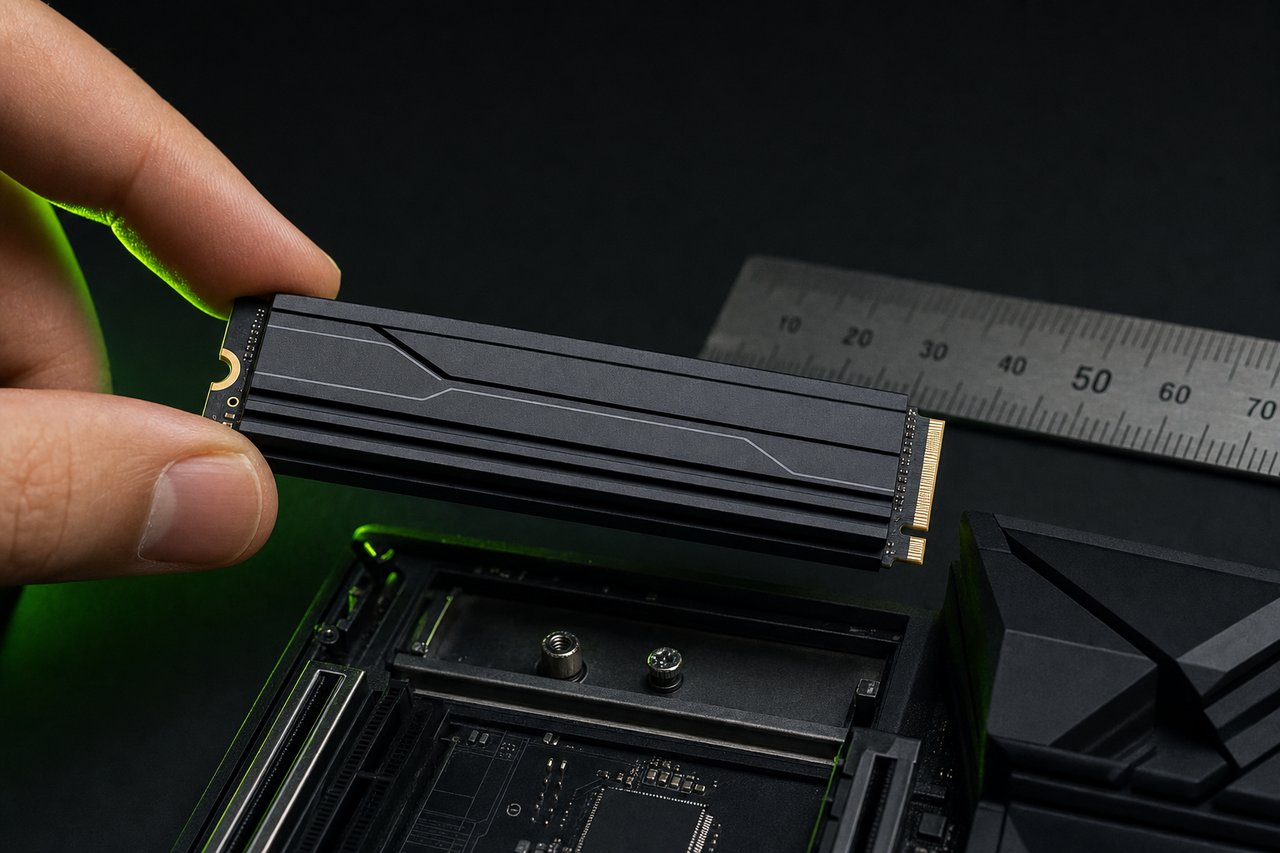
Most incompatibility reports come down to the heatsink. A 2280 drive is 2.38 mm thick bare; a heatsink adds anywhere from 5 mm to 15 mm, and PC-oriented heatsinks with fins or fans routinely exceed Sony's 8 mm above-board limit. The height column lists the manufacturer's figure for the heatsink version where it is published and stays empty where it is not, rather than guessing. When adding a heatsink to a bare drive, a flat aluminium plate of 3 to 5 mm keeps the total well inside the limit and is enough for the airflow the PS5 provides.
DRAM, speed below 5,500 MB/s and other soft rules
Sony's 5,500 MB/s figure is a recommendation, and drives below it install and run. Tests on drives rated at 4,000 to 5,000 MB/s show loads a few seconds longer in the worst case and identical in most. The table keeps them out of the "Compatible" group because Sony does not stand behind them, and because the price difference to a 7,000 MB/s drive has shrunk to a few dollars.
DRAM matters less than the spec sheets suggest. The PS5 cannot use the Host Memory Buffer that DRAM-less drives rely on in a PC, yet DRAM-less Gen4 drives such as the Lexar NM790 land within a few percent of DRAM drives in PS5 tests. Where DRAM shows is sustained writes, which on a PS5 means copying several 100 GB games to the new drive in one go. It finishes; it just takes longer.
PS5, PS5 Slim and PS5 Pro: the same slot, different starting points
All three models use the same M.2 expansion slot and the same requirements, so a PS5 SSD that fits the launch console fits the Slim and the Pro. What differs is how soon the slot matters. The launch model's 667 GB usable is gone after a handful of current releases; the Slim's 848 GB buys a few more; the Pro's 2 TB internal drive means many owners never open the panel. The panel itself is in a slightly different place on the Slim and Pro, but the procedure below is identical.
How to upgrade the PS5 SSD: installing the drive
The slot sits under the panel on the disc-drive side, covered by a single screw. Insert the drive at an angle, press it flat, fix it with the screw and spacer at the matching length marker, replace the cover, and power on. The PS5 asks to format the drive, reports the read speed it measured, and offers to make the expansion drive the default install location. Games can be moved between drives from storage settings at any time; saves remain on the internal drive.
Which capacity to buy
Price per gigabyte is lowest at 2 TB and has been for two years; 1 TB drives cost only a little less, and 4 TB drives cost more per gigabyte again. A 2 TB expansion drive holds roughly eighteen to twenty games of current average size and about ten of the largest. Since the PS5 uses the full expansion drive for games with no system reserve, 2 TB is the sensible default for anyone who keeps more than a few games installed at once.
Warranty, counterfeits and drives to avoid
The drives in the table come from manufacturers with published specifications and five-year warranties on their Gen4 flagships; a warranty claim needs the drive bought from an authorised seller, so marketplace listings with unusual prices are worth a second look. Counterfeit NVMe drives exist, typically relabelled low-end drives sold under a flagship name. The tell is the PS5's own measurement: after formatting, the console reports the read speed it measured, and a genuine 7,000 MB/s drive reports well above 5,500 MB/s. A drive that formats but reports 3,000 MB/s is either PCIe 3.0 or not what the label says. Drives with no manufacturer PS5 statement and no published dimensions for the heatsink version are listed as unverified rather than guessed at.
How the table is maintained
Every row is built from the manufacturer's product page and re-checked when a new revision or a heatsink version appears. Sony's requirements page is the source for the rules. Corrections and drives to add go through the contact page. For the storage question itself, the file-size database shows what a drive of a given size will hold.
PS5 SSD compatibility: frequently asked questions
What SSD is compatible with the PS5?
Any M.2 NVMe drive that uses PCIe 4.0 x4, holds between 250 GB and 8 TB, reads at 5,500 MB/s or faster, and fits Sony's dimensions with its heatsink: 22 mm wide (25 mm with heatsink), 2230 to 22110 long, and no more than 11.25 mm tall in total. The table above applies those rules to 60 drives.
Does a PS5 SSD need a heatsink?
Yes. Sony requires effective heat dissipation for the expansion drive and specifies the space for it. Drives sold as "for PS5" ship with a heatsink attached; a bare drive needs one added, and the combined height must stay under 11.25 mm, with at most 8 mm above the board.
What is the best PS5 SSD in August 2026?
For most people the best PS5 SSD is a PCIe 4.0 drive with DRAM and a heatsink already fitted, rated at 7,000 MB/s or more: Samsung 9100 PRO with Heatsink, Lexar Professional NM800 PRO with Heatsink, Samsung 990 PRO with Heatsink all qualify. Faster PCIe 5.0 drives work but load games no faster on PS5, so the extra cost buys nothing.
Do PCIe 5.0 SSDs work in a PS5?
Sony's requirements page names only PCIe 4.0 x4 and says nothing about Gen5. Some Gen5 drives run in the slot at Gen4 speed because PCIe is backwards compatible, and Samsung lists the PS5 as an application for its 9100 Pro, but the table rates Gen5 drives only on the manufacturer's own PS5 statement and on physical fit. They deliver no loading advantage, run hotter and often ship with a heatsink too tall for the bay. A Gen4 drive is the sensible choice.
Is 5,500 MB/s a hard requirement?
Sony calls it a recommendation. Drives below it, such as many PCIe 4.0 drives rated at 4,000–5,000 MB/s, install and run games, and some players report no noticeable difference. The table marks them separately because Sony does not guarantee performance below the figure.
Does the PS5 SSD need DRAM?
No. DRAM-less drives that use Host Memory Buffer on PC cannot use it on PS5, yet several DRAM-less Gen4 drives perform within a few percent of DRAM drives in PS5 loading tests. The column is listed because it affects sustained write performance when copying large games.
How much usable space does a 2 TB PS5 SSD add?
A 2 TB drive shows about 1.8 TB usable once formatted, and the PS5 uses the full expansion drive for games; there is no system reserve on the expansion drive. That is enough for roughly eighteen to twenty games of current average size.
Can I run PS5 games from an external USB drive?
No. PS5 games must be on the internal SSD or the M.2 expansion drive to run. An external USB drive can store PS5 games and run PS4 games directly, which makes it a cheap archive for the back catalogue.
What is the maximum SSD size for PS5?
Sony supports expansion drives from 250 GB to 8 TB. 8 TB M.2 drives exist but cost several times more per gigabyte than 2 TB or 4 TB models; 2 TB is the sweet spot for price per gigabyte.
Will a 2280 drive with a thick heatsink fit?
Only if the total height stays at or below 11.25 mm, with no more than 8 mm above the board and 2.45 mm below, and the width including heatsink at or below 25 mm. Several PC-oriented heatsinks exceed that; the table lists the height of the heatsink version where the manufacturer publishes it.
Do I need to format the SSD before installing it in the PS5?
No. The PS5 formats the drive on first boot after installation and asks you to confirm. Anything on the drive is erased. The process takes under a minute and the console reports the read speed it measured.
Can I move games between the internal and the expansion drive?
Yes. Storage settings on the PS5 let you move games and apps in both directions, and you can set the expansion drive as the default install location. Saves stay on the internal drive regardless.
Which PS5 SSDs are sold with a PlayStation licence?
Western Digital's WD Black SN850P and Seagate's Game Drive PS5 NVMe carry the official licensing. The licence guarantees fit and compatibility, not extra speed; unlicensed drives that meet the specification perform identically.
Does the PS5 Pro or PS5 Slim use a different SSD?
No. The PS5 Slim and PS5 Pro use the same M.2 expansion slot and the same requirements as the launch model. The Pro ships with a 2 TB internal drive, the Slim with 1 TB, so the expansion slot matters less on the Pro.
Is a PCIe 3.0 SSD compatible with PS5?
No. PCIe 3.0 drives top out around 3,500 MB/s and Sony does not support them; the console may refuse to format the drive or warn that it is unsupported. Sony names PCIe 4.0 x4 drives only.
How much storage does a PS5 have?
The launch PS5 has an 825 GB SSD with about 667 GB available for games after the system reserve. The PS5 Slim has 1 TB with about 848 GB usable, and the PS5 Pro has 2 TB. All three models add an M.2 expansion slot for a second drive of 250 GB to 8 TB.
How do I get more storage on a PS5?
Install an M.2 NVMe SSD in the expansion slot for PS5 and PS4 games, or attach a USB drive for PS4 games and for parking PS5 games you are not playing. The M.2 route is the only one that runs PS5 titles, and the drive must meet Sony's requirements above: PCIe 4.0 x4, 5,500 MB/s or faster recommended, a heatsink, and a total height of 11.25 mm or less.
How do I upgrade the PS5 SSD?
Power the console off, remove the side panel on the disc-drive side, unscrew the expansion-slot cover, move the spacer to the length marker for your drive (usually 80 for a 2280), insert the drive at an angle, press it flat, secure the screw, replace the cover and panel, and power on. The PS5 formats the drive and reports its read speed. No tools beyond a Phillips screwdriver are needed.
How do I add storage to a PS5 without opening it?
Plug in a USB 3.0 drive of 250 GB or more. PS4 games run from it directly; PS5 games can be stored there and copied back to the internal or M.2 drive to play, which takes minutes rather than a full download. It is the cheap option for a large back catalogue.
How do I check the SSD speed the PS5 measured?
After formatting, the PS5 reports the read speed it measured for the drive. The figure is often a little below the manufacturer's rating because the console measures sustained reads under its own conditions. Anything above 5,500 MB/s is within the recommendation.