The Best PS4 Vertical Stand in August 2026 for Original, Slim and Pro Consoles, Plus the PS5 Stand Question
Which PS4 and PS5 models may stand upright, which Sony stand fits which model number, what fan stands really do, and how size and weight decide stability.
- Published
- Read
- 13 min
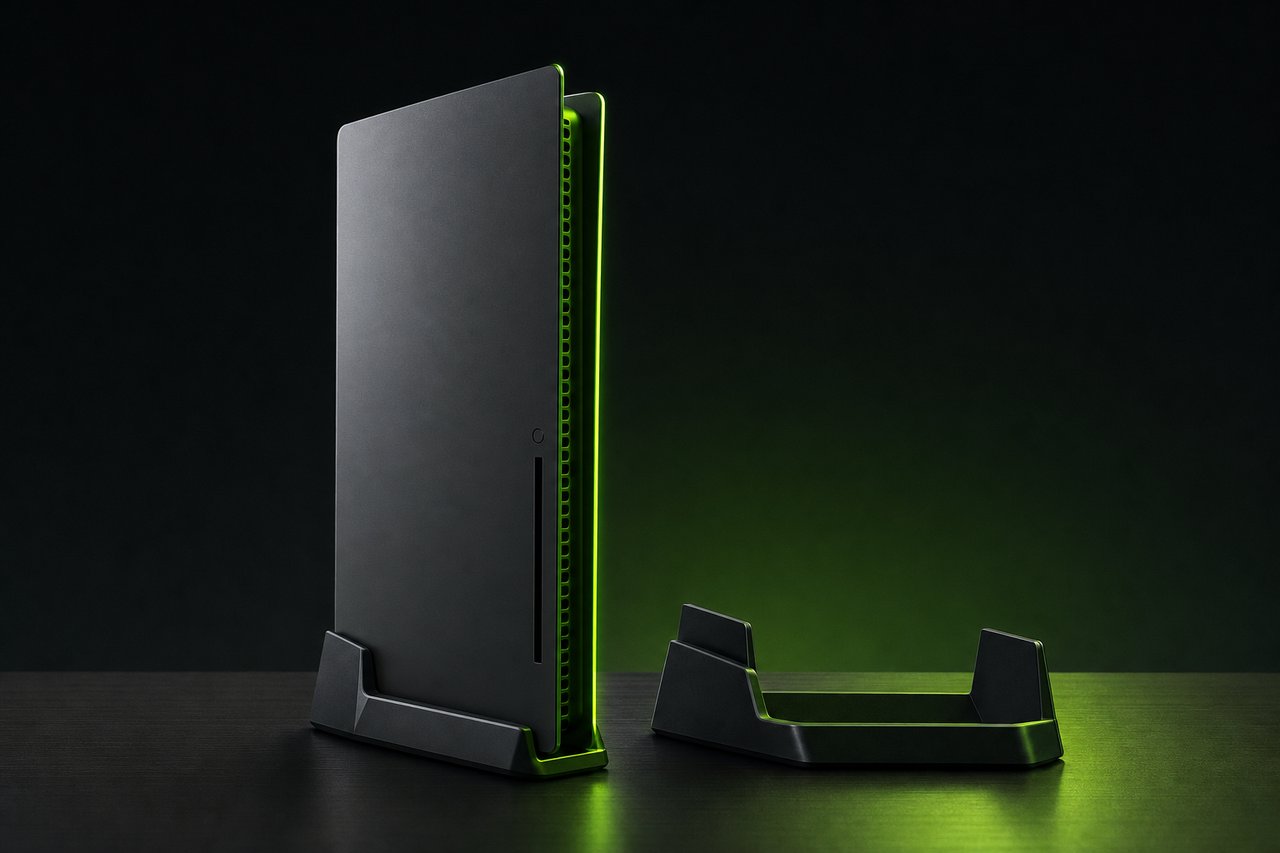
A PS4 vertical stand is required equipment, not an optional extra, if the console is going to stand on its end. Sony’s own safety guides for the PS4 Slim and PS4 Pro spell it out: the system may be placed only horizontally or vertically, and “when setting the system in the vertical position, use a vertical stand for this model of the system.” The online user’s guide says the same for every revision back to the 2013 launch model. So the question for anyone hunting the best PS4 vertical stand in August 2026 is not whether one is needed, but which one fits which model number, and whether the fans and charging docks bolted onto many of them earn their space.
A PS4 Pro vertical stand and a PS4 Slim vertical stand are different parts with different cut-outs, which is the first thing this page sorts out. The PS4 Pro vertical stand also has to carry the heaviest console of the family, so its footprint and base weight matter more than they do for the Slim.
This guide covers the three PS4 generations by model number, the two Sony-made stands, the three types of third-party stand, the ventilation facts behind the cooling claims, and the changed situation on PS5, where the slim and Pro consoles ship without any vertical support at all.
Which PS4 models may stand upright, and what Sony says about it
Every PS4 revision supports vertical placement, with a stand. Sony’s documentation does not distinguish between the original console and the later ones on this point. What changes between generations is the body shape, and therefore the stand.
There are three families. The original console, sold from November 2013, carries the model numbers CUH-1000 and CUH-1100, and a lighter 2015 revision called CUH-1200. The slim console that replaced it on September 15, 2016 is the CUH-2000 series, followed by the CUH-2100 and CUH-2200 revisions. The PS4 Pro that arrived on November 10, 2016 is the CUH-7000 series, with CUH-7100 and CUH-7200 revisions later. The model number sits on a label on the underside of the console and starts with “CUH”.
The stand is the only place where the model number actually matters. Sony’s safety guides for the CUH-2215A (Slim) and CUH-7215B (Pro) both read: “Do not set the system other than in the vertical or horizontal position. When setting the system in the vertical position, use a vertical stand for this model of the system.” The phrase “for this model” is doing real work. A stand molded for one chassis will not hold another one securely.
Two more lines from the same guides matter for any stand with a fan built in. “Do not block any vents,” and “do not allow dust to build up on the vents.” A stand that covers the intake grille on the side it rests on is working against the console’s own cooling, whatever its fan does.
Sony’s own stands by model number
Sony has sold two PS4 stands and one PS5 stand. Neither PS4 stand is listed on Sony’s current accessory pages any more, so the market for them is retailer stock and the used market, but the fit rules have not changed.
| Console model number | Console | Sony stand | Notes |
|---|---|---|---|
| CUH-1000, CUH-1100 | Original PS4 (2013) | First-generation vertical stand | Clips into the groove around the chassis middle |
| CUH-1200 | Original PS4, 2015 revision | First-generation vertical stand | Same body as CUH-1000, 0.3 kg lighter |
| CUH-2000, CUH-2100, CUH-2200 | PS4 Slim (2016) | Vertical stand for PS4 Pro and CUH-2000 series | Uses adapter inserts for the 39 mm body |
| CUH-7000, CUH-7100, CUH-7200 | PS4 Pro (2016) | Vertical stand for PS4 Pro and CUH-2000 series | Same stand, insert removed for the 55 mm body |
| CFI-1000, CFI-1100, CFI-1200 | PS5 launch model (2020) | Round base included in the box | Works horizontally and vertically |
| CFI-2000, CFI-2100 | PS5 slim (2023) | Horizontal stand feet included; vertical stand sold separately | Sony lists CFI-2000 and CFI-2100 as supported |
| CFI-7000 | PS5 Pro (2024) | Horizontal stand feet included; vertical stand sold separately | Same separate stand as the slim |
The first-generation stand is a single piece of matte plastic with two locking tabs that snap into the recess running around the original console. It only fits the tapered 2013 body. The 2016 stand is a wider base with removable inserts, which is why one product covers both the thin Slim and the thick Pro.
On the PS5 side the rules changed twice. The launch console came with a round base and a screw; the CFI-1100 revision in 2021 removed the need for a screwdriver. The slim console changed the approach: its quick start guide opens with “insert the horizontal stand feet into the hole in the grooves of the PlayStation 5 console” and then notes, “if you want to set your PS5 console in the vertical position, you’ll need to use the vertical stand (sold separately).” The PS5 Pro’s safety guide uses identical wording. Sony’s listing for that separate stand names the PS5 Pro, the CFI-1000 model group, and the CFI-2000 and CFI-2100 slim model groups, and the box contains the stand, a mounting screw, a console stand attachment and instructions.
Console dimensions and weight, the numbers behind stability
A stand’s job is to keep a few kilograms of electronics from falling over. Weight and thickness set how hard that job is, and Sony publishes both for every model.
| Model | Width × height × depth (horizontal) | Weight | Source |
|---|---|---|---|
| PS4 CUH-1000 / 1100 | approx. 275 × 53 × 305 mm | approx. 2.8 kg | Sony 2013 specifications |
| PS4 CUH-1200 | approx. 275 × 53 × 305 mm | approx. 2.5 kg | Sony Interactive Entertainment, June 2015 |
| PS4 Slim CUH-2000 | approx. 265 × 39 × 288 mm | approx. 2.1 kg | Sony PS4 tech specs |
| PS4 Slim CUH-2200 | approx. 265 × 39 × 288 mm | approx. 2.0 kg | Sony safety guide CUH-2215A |
| PS4 Pro CUH-7000 | approx. 295 × 55 × 327 mm | approx. 3.3 kg | Sony PS4 tech specs |
| PS4 Pro CUH-7200 | approx. 295 × 55 × 327 mm | approx. 3.2 kg | Sony safety guide CUH-7215B |
| PS5 CFI-1000 (disc) | approx. 390 × 104 × 260 mm | approx. 4.5 kg | Sony safety guide CFI-1015A |
| PS5 CFI-1000 Digital | approx. 390 × 92 × 260 mm | approx. 3.9 kg | Sony 2020 specifications |
| PS5 slim CFI-2000 (disc) | approx. 358 × 96 × 216 mm | approx. 3.2 kg | Sony safety guide CFI-2015A |
| PS5 slim CFI-2000 Digital | approx. 358 × 80 × 216 mm | approx. 2.6 kg | Sony safety guide CFI-2015B |
| PS5 Pro CFI-7000 | approx. 388 × 89 × 216 mm | approx. 3.1 kg | Sony safety guide CFI-7019 |
Sony’s dimensions are given for the horizontal position, so the “height” column becomes the thickness the stand has to grip once the console is upright, and the “width” becomes the standing height. A vertical Pro is therefore a 327 mm tall, 3.2 kg block balanced on a 55 mm edge. A vertical Slim is 288 mm tall on a 39 mm edge and weighs a third less. That difference is why the Pro is the model where a wide, rubber-footed base pays off and why a light plastic cradle sold for the Slim should never be pressed into Pro service.
Sony’s own announcement of the two 2016 consoles put the Slim at 30 percent less volume and 16 percent less weight than the CUH-1200 it replaced. The PS5 slim followed the same pattern in 2023: Sony states more than 30 percent less volume and 18 to 24 percent less weight than the previous PS5 models, depending on edition.
Best PS4 vertical stand types: plain, with fans, with charging
Every third-party stand for these consoles falls into one of three types, and the type decides both the cost tier and the failure modes.
Plain stands
A plain stand is a molded base, usually ABS plastic, with a cradle shaped for one console and rubber pads underneath. It has nothing to break and nothing to plug in. The things to check are the exact model list on the packaging, the presence of cut-outs where the console’s side vents sit, and whether the base is wider than the console is thick. Licensed stands from the console’s own era, such as the AmazonBasics stand that carried Sony’s official licence for the original PS4, used locking dials rather than friction, which is the better mechanism for a 2.8 kg console.
Stands with cooling fans
Fan stands add one or two small fans in the base or along the side and run them from one of the console’s USB ports. Most also include a USB hub to give back the port they occupy, and a few add a switch to turn the fans off. Their real merit is covered in the next section; the short version is that a fan stand that seals against the console’s intake side is worse than no fan at all.
Stands with a charging station
The third type adds one or two controller docks, typically with LED charge indicators, sometimes combined with fans and a hub. On PS4 the docks charge a DualShock 4 through its micro-USB port, so the stand carries a dongle or a fixed plug that the controller pushes onto. Because everything hangs off a single USB port on the console, charging two pads while a fan runs takes hours rather than minutes.
Two current examples show how the category has moved. OIVO lists a stand for the original PS4, PS4 Slim and PS4 Pro that combines a controller charger with a cooling function in one body, the “one stand fits all three” approach that Sony itself never offered. On PS5, the same manufacturer’s horizontal stand with cooling fan and charger, which it lists for the 2020, 2023 slim and 2024 Pro consoles, uses one turbo fan with three speed settings on a touch switch, two push-down docks for the DualSense and DualSense Edge, an EVA foam insert to fit the thinner Digital Edition, and draws its power from the console over the supplied cable. OIVO quotes three to three and a half hours to fill two controllers. Those are manufacturer figures, but they illustrate the trade: convenience in exchange for one port’s power budget.
Other big accessory names have thinned out of this niche. HORI’s PlayStation range in Europe is built around wheels, fighting sticks, specialty controllers and audio, with no console stand listed. PowerA’s PlayStation line-up is controllers and a charging station for the PlayStation Portal. Nyko’s PS4 catalogue still has the Charge Curve, but that is a controller dock that plugs into a console USB port, not a stand.
Cooling: what a PS4 vertical stand can and cannot do
Marketing copy for fan stands tends to imply a console lying flat is slowly cooking. Sony’s documentation says something narrower. The vents must not be blocked, dust must not build up on them, and the console must not sit in an enclosed or heat-retaining space. Orientation is not on the list.
Three physical facts settle most arguments. First, the console’s internal blower is sized to cool the system on its own; it exhausts through the rear grille on every PS4 model and pulls air in along the sides. Second, a USB port supplies a few watts at most, so the fans in a stand are small, slow and quiet by necessity. They move a fraction of the air the console’s own blower does. Third, the biggest cooling gain from any stand, plain or powered, is mechanical: lifting the console off carpet, fabric or a warm receiver and leaving clear air on both faces.
That last point cuts the other way, too. A vertical stand covers one face of the console. If the covered face carries an intake grille, and the stand has no channel under it, the stand has just blocked a vent, which is the one thing Sony explicitly warns against. Cut-outs or a raised cradle matter more than the fan count.
A PS4 tells you when this has gone wrong. Sony’s part-name guide for the CUH-1000 series lists a blinking red power indicator as the overheating signal; the safety guides say to turn the console off, let it cool, and move it to a well-ventilated location before using it again. A stand that triggers that indicator is doing the opposite of its job.
Stability, tipping and the disc drive when the console stands on end
The tipping question is about base width and grip, not about weight alone. The original PS4 has a tapered, slanted body that only sits properly in a stand that locks into its groove, which is why Sony’s first stand used snap tabs and why licensed alternatives used dials. The Slim and Pro have flat sides, so friction cradles work, provided the cradle width matches the 39 or 55 mm thickness.
Rubber feet on the underside of the stand do more than the cradle for knock resistance, because most falls start with the whole assembly sliding on a glossy shelf. A stand for a 3.2 kg Pro should be noticeably wider than the console is thick, and the heavier PS5 launch model, at 4.5 kg, is the reason Sony gave it a wide circular base with a screw.
Discs are a non-issue. Every PS4 and PS5 uses a slot-loading drive, and Sony documents the vertical position as fully supported, so the drive reads and ejects normally on end. What changes is ergonomics: the slot and eject button on a vertical PS4 sit near the top edge, and on a vertical launch PS5 the drive faces down on the right-hand side, so a stand that places the console flush against a wall makes ejecting awkward. Sony’s 10 cm clearance rule for the PS5 covers that as well.
PS4 Pro vertical stand and Slim stand buying criteria, by specification
Reduced to what can be read off a specification sheet, the checklist for a PS4 Pro vertical stand or a Slim stand is short.
The listing must name the exact model series. “PS4” alone, without a CUH number or the words Slim and Pro, usually means the 2013 console, and it will not hold a 2016 model. A stand that claims to fit all three should show how it adjusts, as OIVO’s PS4 stand does with a single adjustable body; if the mechanism is not visible, the claim is doubtful.
The base should be wider than the console is thick, with rubber pads, and it should show cut-outs or a raised channel on the face the console rests against. A powered stand needs a USB passthrough or hub so it does not cost a port, and a fan switch is worth having because the fans run whenever the console does, including in rest mode on some models. Charging docks should state the connector type; on PS4 that is micro-USB, on PS5 it is USB-C, and PS5 docks generally use pogo-style push-down contacts that will not work with a DualShock 4.
The best PS4 vertical stand for an original CUH-1000 console in 2026 is still the one Sony designed for it, or a licensed clone with locking tabs, because generic cradles cannot cope with that console’s shape. For the Slim and Pro, the Sony stand with inserts remains the reference, and any third-party stand that matches its cradle widths and adds a proper vent channel is a fair substitute.
What does not work
A few combinations fail every time, and they account for most complaints about wobbling or heat.
A PS4 stand of any kind will not hold a PS5. The PS5 is larger in every dimension, has no groove, and its curved side panels need Sony’s screw-in base or a stand shaped for the exact model group. A Slim stand will not close around a Pro, and a Pro cradle leaves a Slim rattling. The 2013 console does not fit any 2016 stand, and the 2016 Sony stand does not fit the 2013 console.
Standing any PS4 upright without a stand contradicts Sony’s own instruction, and it is worse on the tapered original, which cannot balance on its edge at all. Stands that leave a fan grille flush against the console’s side intake reduce airflow. And a stand that pushes the console against a wall to save space undoes the clearance Sony asks for, whatever the fan count.
One last practical note on availability. Sony no longer lists either PS4 stand, so stock is retailer leftovers and second-hand sales, and the third-party field has shrunk as manufacturers moved to PS5 products. Kootek, a name that appeared on a large share of PS4 fan stands a few years ago, now runs a website devoted entirely to cake-decorating tools.
Frequently asked questions
Can a PS4 stand vertically without a stand?
Sony says no. The safety guides for the PS4 Slim (CUH-2215A) and PS4 Pro (CUH-7215B) state that the system must be set only in the horizontal or vertical position, and that a vertical stand made for that model must be used when it stands upright. The online user's guide repeats the instruction. Without a stand the console rests on a narrow edge and can tip or slide.
Which Sony vertical stand fits the original PS4?
The original consoles, model numbers CUH-1000, CUH-1100 and CUH-1200, use the first Sony vertical stand, released alongside the console in 2013. It clips into the groove that runs around the middle of the chassis. The later stand sold for the Slim and Pro does not fit these models, because the 2016 consoles have a different body shape and a different mounting point.
Does the PS4 Slim vertical stand fit the PS4 Pro?
Sony sold one stand for both 2016 models, marketed as the vertical stand for PS4 Pro and the CUH-2000 series PS4. It ships with adapter inserts so the same base grips either the 39 mm thick Slim or the 55 mm thick Pro. Third-party stands are often model-specific, so a Slim-only stand will not hold a Pro securely.
Is a PS4 Pro vertical stand different from a Slim one?
For third-party products, usually yes. The Pro measures about 295 by 55 by 327 mm and weighs roughly 3.2 to 3.3 kg, while the Slim is 265 by 39 by 288 mm and about 2.0 to 2.1 kg. A cradle molded for the thin Slim cannot close around the Pro, and a Pro cradle leaves the Slim loose. Sony's own 2016 stand is the exception because it uses inserts.
Does the PS5 come with a vertical stand?
The launch PS5, model group CFI-1000 through CFI-1200, shipped with a round base that works in both orientations. The slim PS5 (CFI-2000) and the PS5 Pro (CFI-7000) include only horizontal stand feet. Sony's quick start guides for both state that a vertical stand, sold separately, is needed to place the console upright.
Which PS5 models does Sony's separate vertical stand support?
Sony's product listing names the PS5 Pro, the CFI-1000 model group, the CFI-2000 slim model group and the CFI-2100 slim model group. The package contains the stand, a mounting screw, a console stand attachment and the instructions. The launch model's own round base is not needed once this stand is fitted.
Does standing a PS4 vertically make it run hotter?
Not by itself. Sony supports the vertical position for every PS4 revision, provided the model's stand is used and the vents stay clear. Sony's guidance is to keep vents unblocked and free of dust. Heat problems come from enclosed cabinets, carpets and dust, not from orientation. A PS4 signals overheating with a blinking red power indicator.
Do PS4 cooling fan stands actually work?
They move some air, but they draw power from a single USB port, which limits fan size and speed. The console's own blower is designed to cool the system on its own. A fan stand helps most when it keeps the intake side lifted and clear of the surface. It cannot compensate for a dusty interior or a closed cabinet.
Can you play discs with the PS4 standing vertically?
Yes. All PS4 models use a slot-loading drive, and Sony documents the vertical position as a supported orientation. Discs load and eject normally, though the eject button and slot sit at a different height once the console stands upright. The same applies to the launch PS5 and to a slim or Pro PS5 with the disc drive attached.
How heavy is a PS4 Pro compared with a PS4 Slim?
Sony lists the original PS4 Pro (CUH-7000) at approximately 3.3 kg and the later CUH-7200 revision at 3.2 kg. The PS4 Slim is about 2.1 kg for the CUH-2000 and 2.0 kg for the CUH-2200. The original 2013 console weighed 2.8 kg, and the 2015 CUH-1200 trimmed that to 2.5 kg. The Pro is therefore the model where base width matters most.
How much clearance does Sony recommend around a PS5?
The PS5 safety guides for the launch, slim and Pro models say to place the console at least 10 cm (4 inches) away from a wall surface, not to block any vents, not to cover the console with cloth, and to remove dust from the vents with a handheld vacuum cleaner. A vertical stand is a good way to get that gap on a shelf.
Do stands with a controller charging dock need their own power?
Most run off one of the console's USB ports and pass power through to the docks and to any extra USB sockets. That means the entire stand shares one port's power budget. Some makers, for example OIVO on its PS5 stand, state that the cable connects to the console itself. Charging two controllers plus running a fan from one port takes several hours.
Will a PS4 vertical stand fit a PS5?
No. The PS5 is a different shape and far larger, at 390 by 104 by 260 mm for the launch disc model and 358 by 96 by 216 mm for the slim version. PS4 stands grip a groove or edge that the PS5 does not have. Use Sony's PS5 vertical stand or a third-party stand that names the exact PS5 model group.
What is the best stand for an original PS4 in 2026?
For the 2013 and 2015 consoles, the safest choice remains Sony's own first-generation stand or a licensed equivalent that locks into the chassis groove. Stock is thin because the model is a decade old, so check the listing states CUH-1000, CUH-1100 or CUH-1200 compatibility. Generic universal stands rarely fit this console's tapered shape well.